1
Open the nomination portal
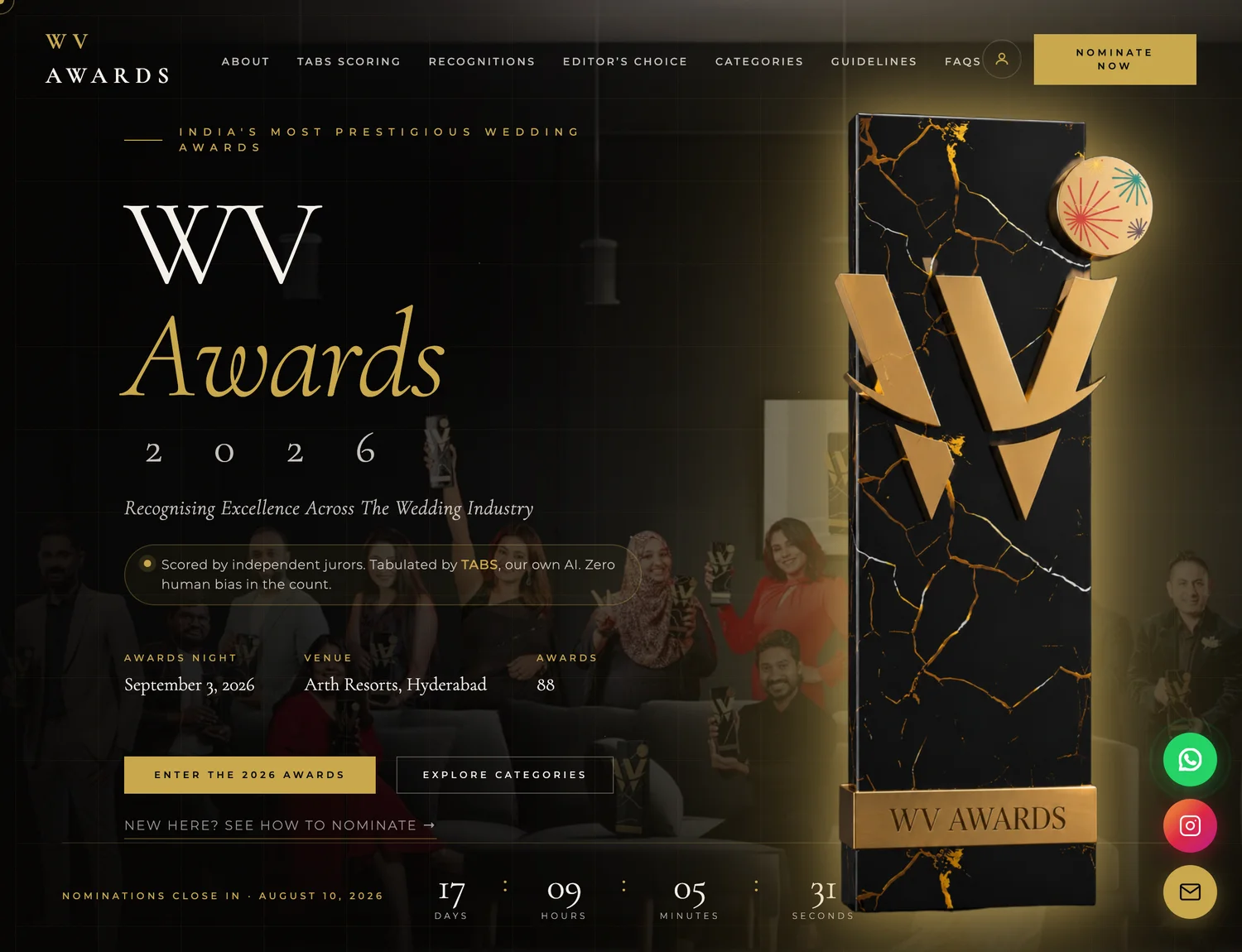
On the WV Awards page, tap Nominate Now (top-right) or Enter the 2026 Awards in the banner. The nomination portal opens right on the page — nothing to download.
- 1Tap to open the portal
Nomination Guide · 2026
Entering the WV Awards takes about ten minutes. Here is every screen you will see, annotated, so you can follow along with confidence — from signing in to submitting your entry.
On the WV Awards page, tap Nominate Now (top-right) or Enter the 2026 Awards in the banner. The nomination portal opens right on the page — nothing to download.
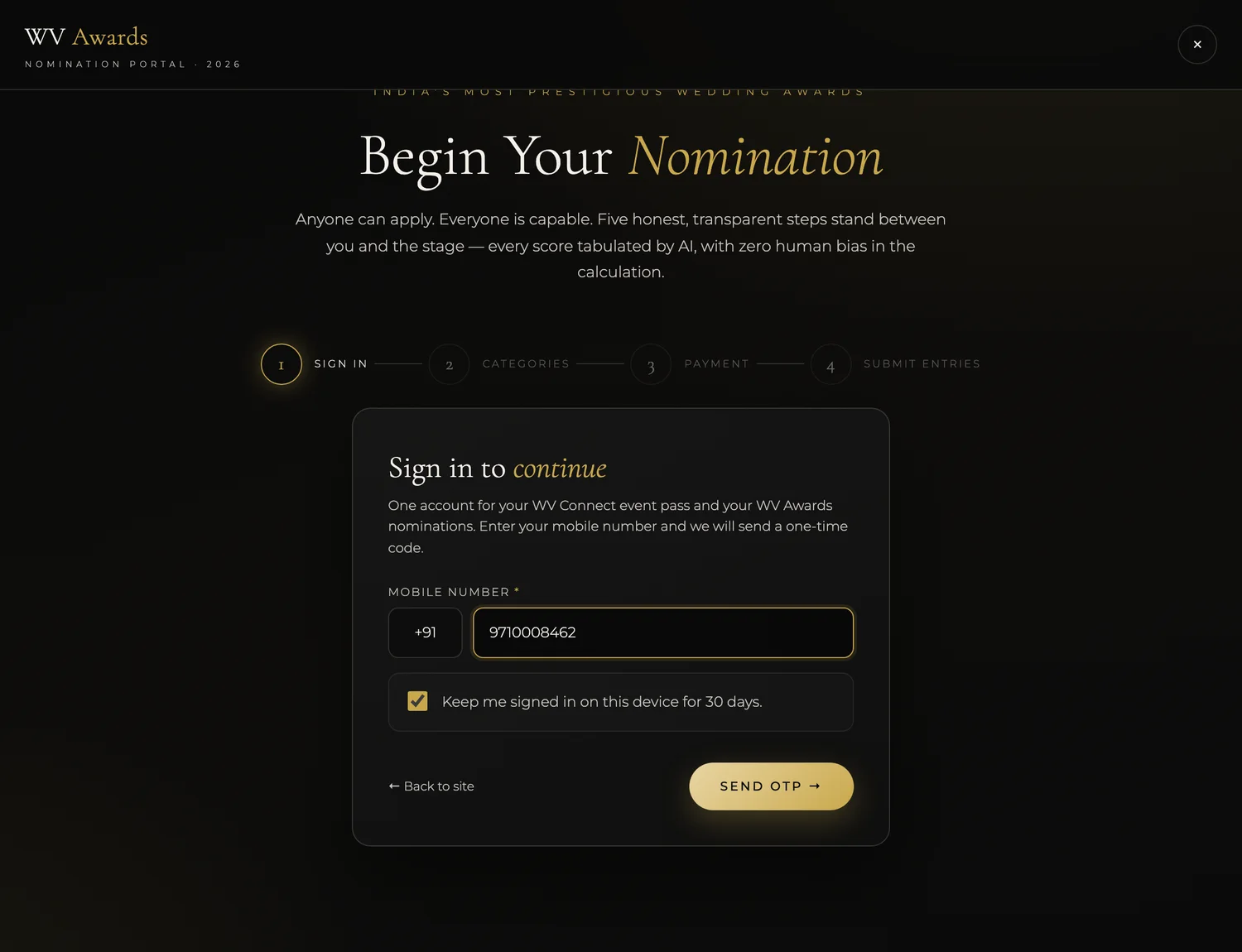
Enter your 10-digit mobile number and tap Send OTP. One account works for both your WV Connect event pass and your Awards nominations — no password to remember.
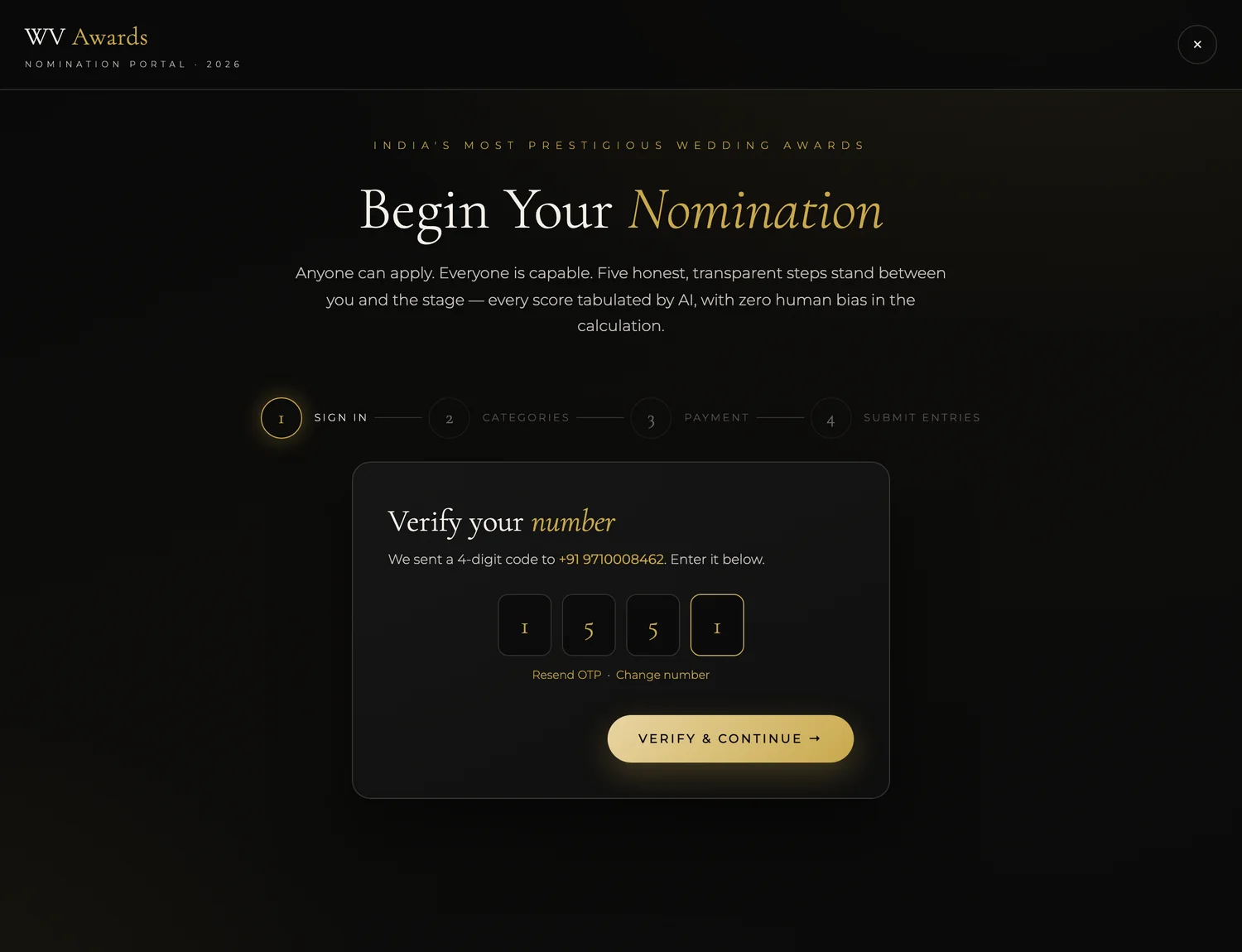
A one-time code arrives by SMS in a few seconds. Type it in and tap Verify & Continue. First time here? You’ll add your name and city once to create your free WV ID — after that you’re recognised automatically.
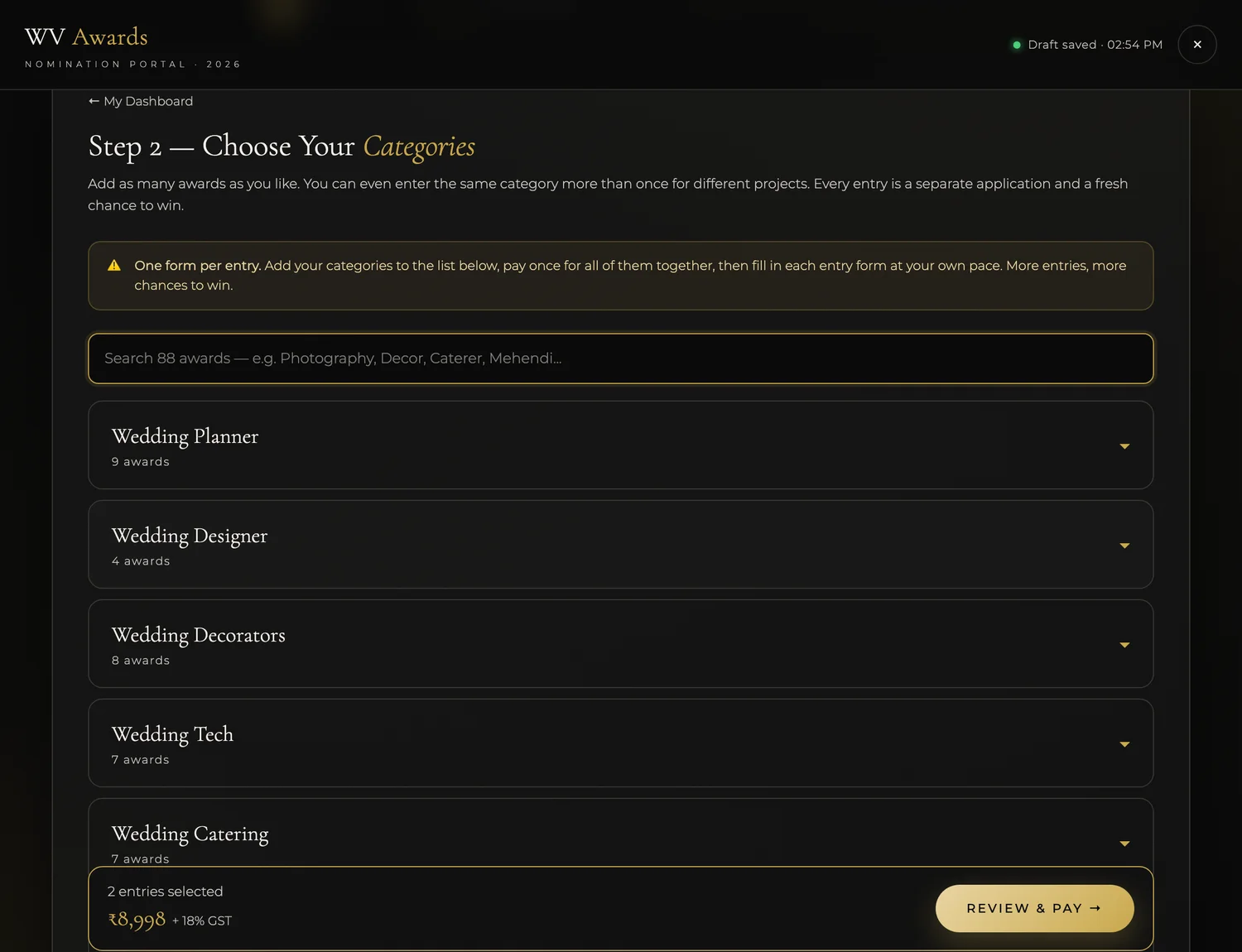
Search the 88 awards and tap + Add on each one you want to enter. You can add as many as you like — even the same category twice for different projects. Every entry is a separate application and a fresh chance to win. When you’re done, tap Review & Pay.
Review your list and pay a single time for everything in it. The fee is ₹4,499 + 18% GST = ₹5,309 per entry. Pay securely by UPI, card, net-banking or wallet on the Razorpay screen. Nomination fees are non-refundable once an entry is submitted.
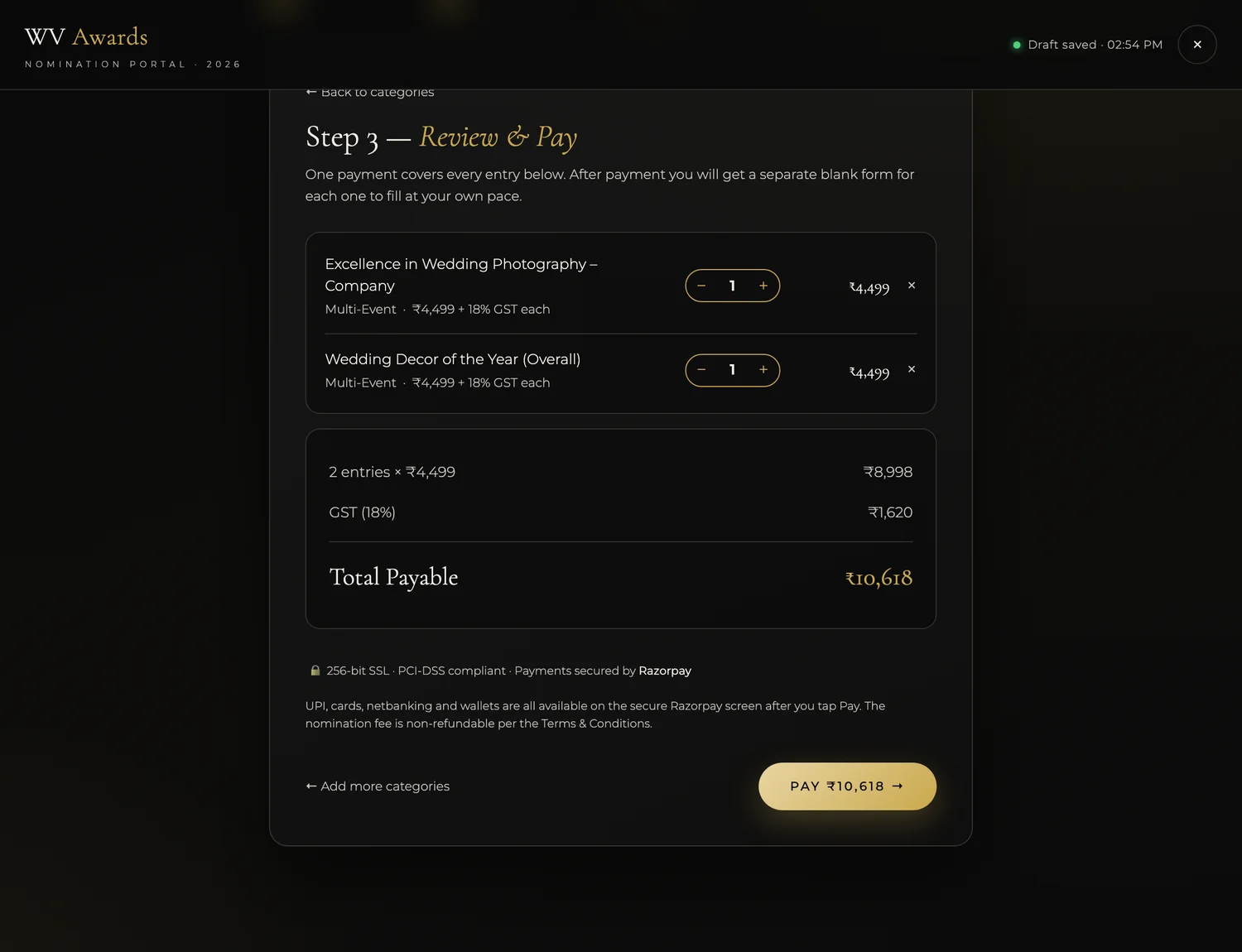
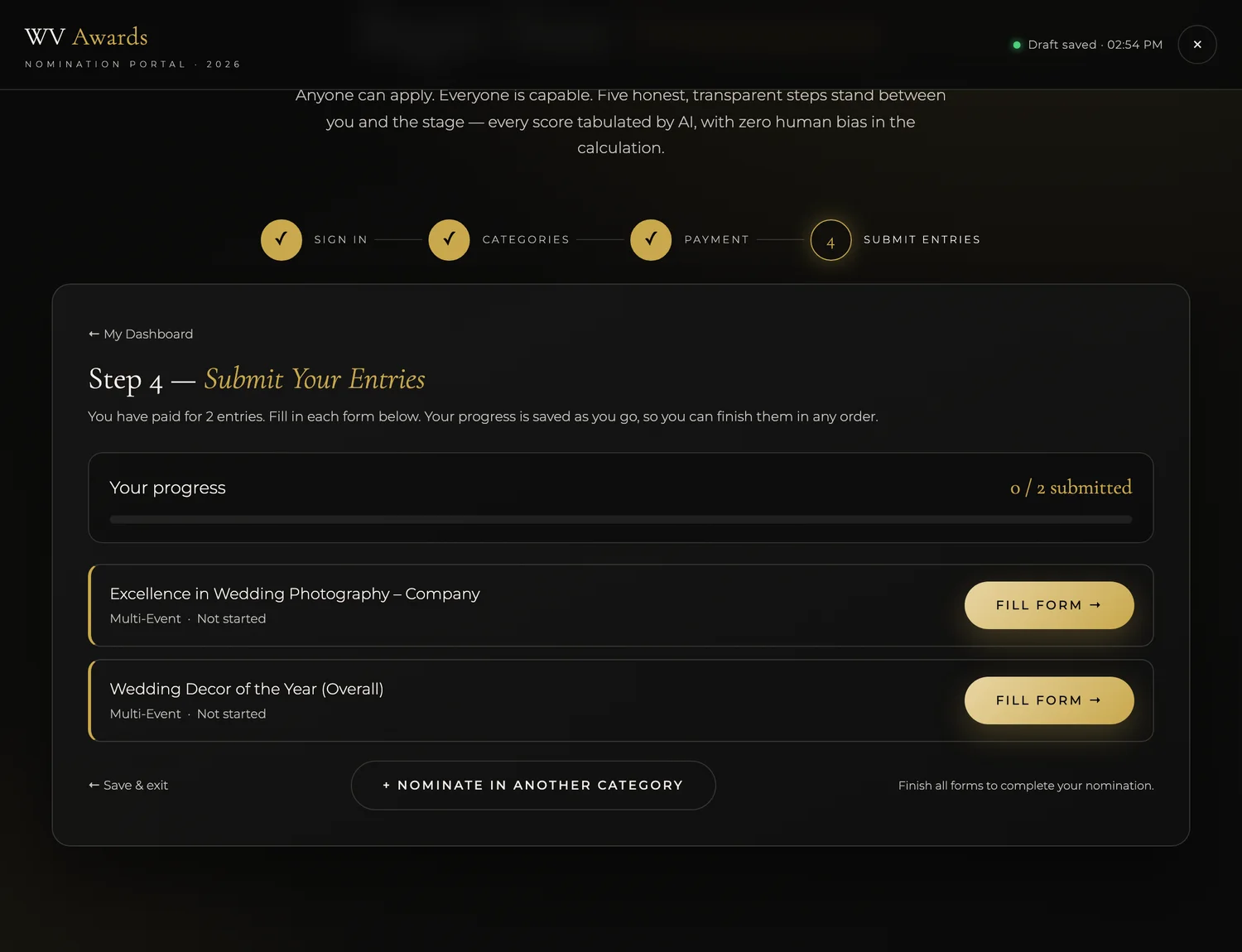
After paying you land on your dashboard with one card per entry. Tap Fill Form to complete an application. Your progress saves automatically, so you can stop and come back later. Just sign in again with the same mobile number — you’re never charged twice.
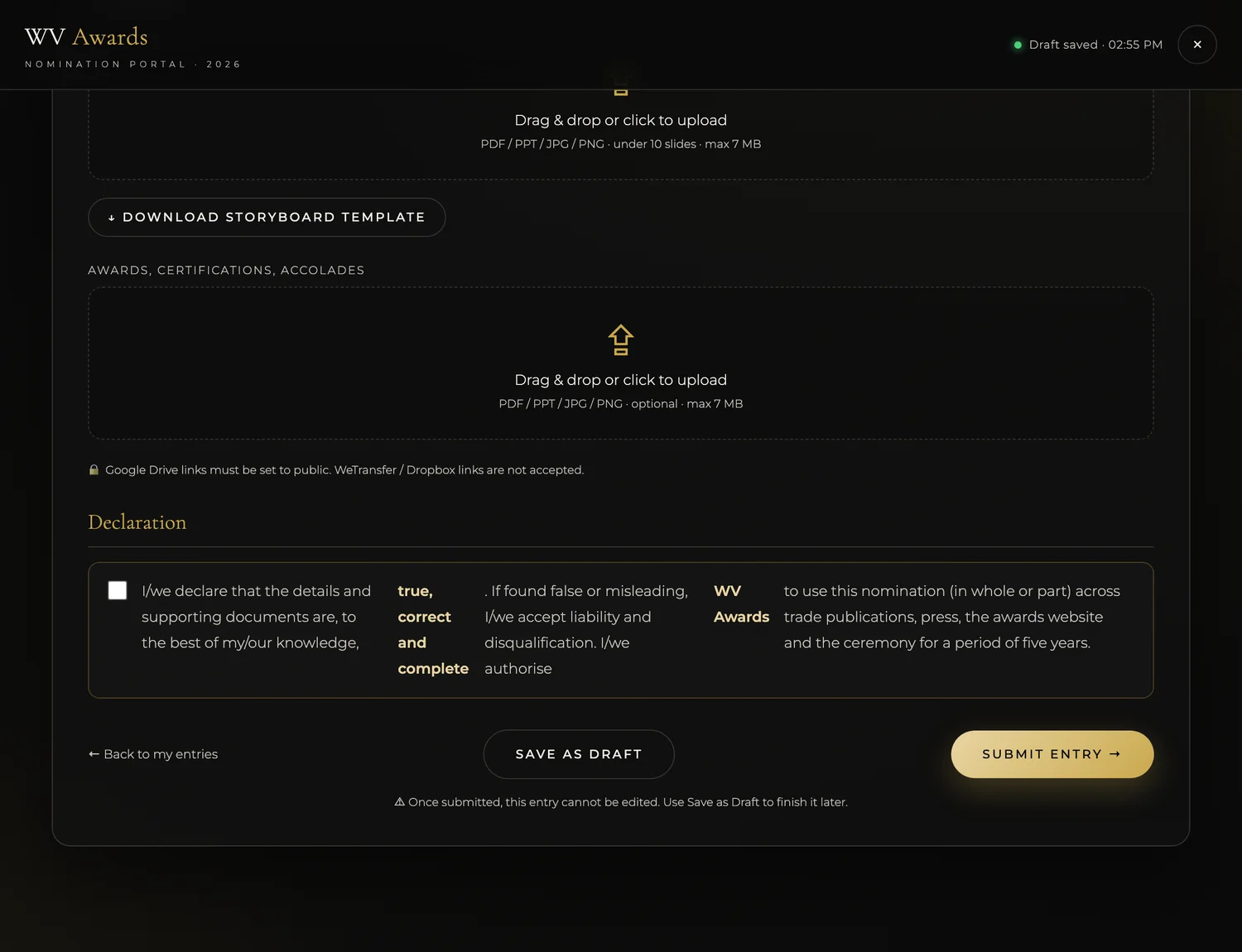
Fill in your organisation details, contact person, social links and the events that show your work. Fields marked * are required. Tap Save as Draft to keep going later, or Submit Entry when the form is complete.
Paid and stepped away? Come back anytime and pick up exactly where you left off.
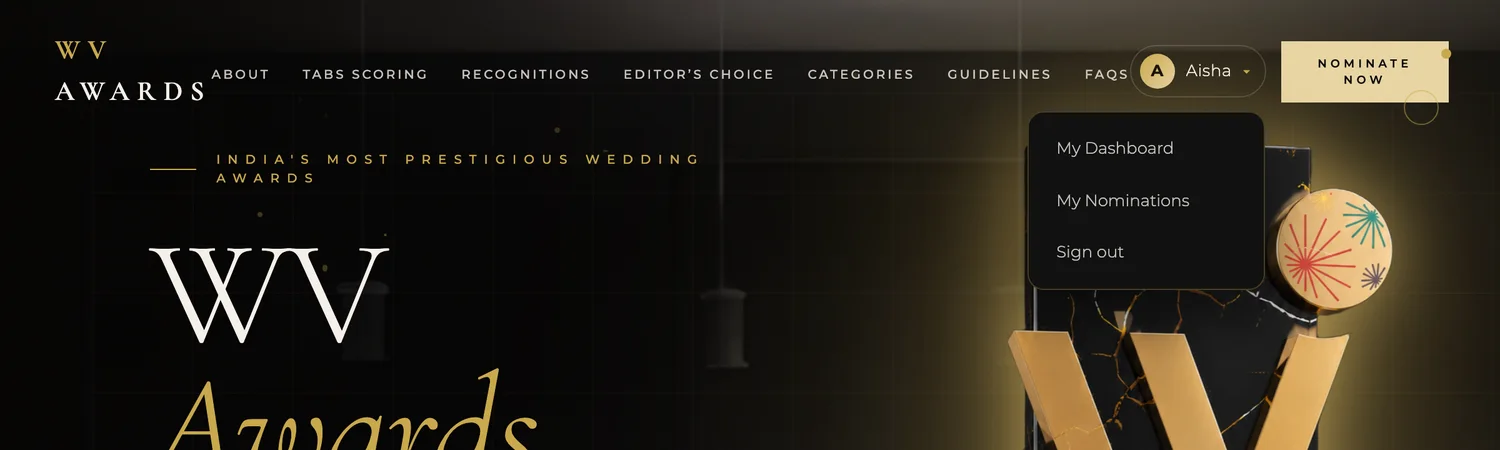
Return to the WV Awards page on the same phone or computer and your name appears at the top-right. Tap it to open your account menu — My Dashboard opens your account home, and My Nominations jumps straight to your entries.
Your dashboard shows a live summary — nominations you’ve paid for, drafts still open, and your progress. Under Continue where you left off, tap Continue on any draft to finish its form. You can also start a new nomination or view your invoices from the menu on the left.
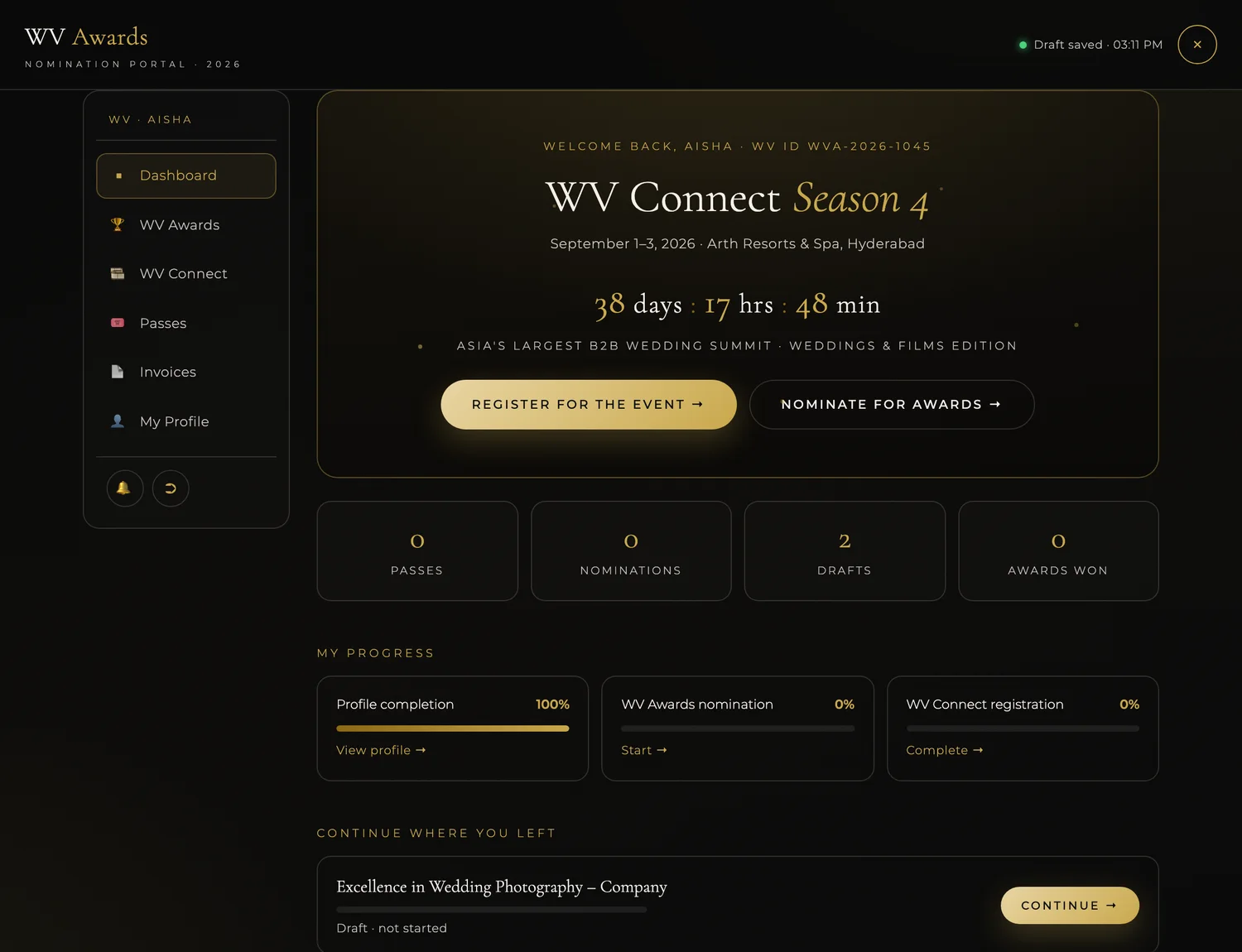
The portal is built so you never lose work — and never pay twice.
Your categories and every form save as you go. Close the tab and your progress is waiting for you.
Come back anytime and sign in with the same mobile number. Your paid entries and drafts are all there.
Once you have paid for an entry, returning to finish it is free. You only pay again if you add a brand-new category.
Fill and submit each form before the deadline. A draft that is never submitted does not go to the jury.
The things nominees ask us most.
No password ever. You sign in with your mobile number and a one-time code (OTP) sent by SMS. The first time, you add your name and city once to create a free WV ID — after that you’re recognised automatically.
₹4,499 + 18% GST = ₹5,309 per entry. You pay once for all the categories in your cart together, so you can enter several awards in a single payment.
Yes — add as many as you like, and you can even enter the same category twice for different projects. Every entry is a separate application and a separate chance to win.
Absolutely. Payment and form-filling are separate steps. After paying, fill each form at your own pace — everything auto-saves, so you can stop and come back whenever it suits you.
No. Once an entry is paid for, returning to complete it is completely free. You only pay again if you add a brand-new category.
No — once you tap Submit Entry it is final and goes to the jury. If you’re not 100% ready, use Save as Draft instead and submit later.
A short video (MP4 under 3 minutes / 300 MB, or a public YouTube / Google Drive link) and a storyboard deck (PDF / PPT / JPG / PNG, under 10 slides, 7 MB). Google Drive links must be set to public — WeTransfer and Dropbox links aren’t accepted.
25 August 2026. Make sure you fill and submit each form before then — a draft that is never submitted does not reach the jury.
Nomination fees are non-refundable once an entry is submitted.
By an independent expert jury, with scoring tabulated by TABS — the process is built for merit-based, bias-free recognition.
No — your entries are saved to your account. Just open the page in a normal browser (Chrome or Safari) and sign in again with the same mobile number. Everything will be there.
WhatsApp +91 72007 95519 or email nithya.m@weddingvows.com — the team is happy to help.
You have seen every step. Now claim your place among India’s most celebrated wedding professionals.
Start your nomination →Need a hand? WhatsApp +91 72007 95519 or email nithya.m@weddingvows.com