Nomination Form · Field Guide
Filling the Form
Once you have paid, each entry opens a nomination form. Here is exactly what goes in every field, section by section, with examples you can follow. Everything you type auto-saves — fill it at your own pace, and finish later if you need to.
Organisation Details
Who you are — entered exactly as it should appear if you win. This section is mostly copy-paste from your existing profiles.
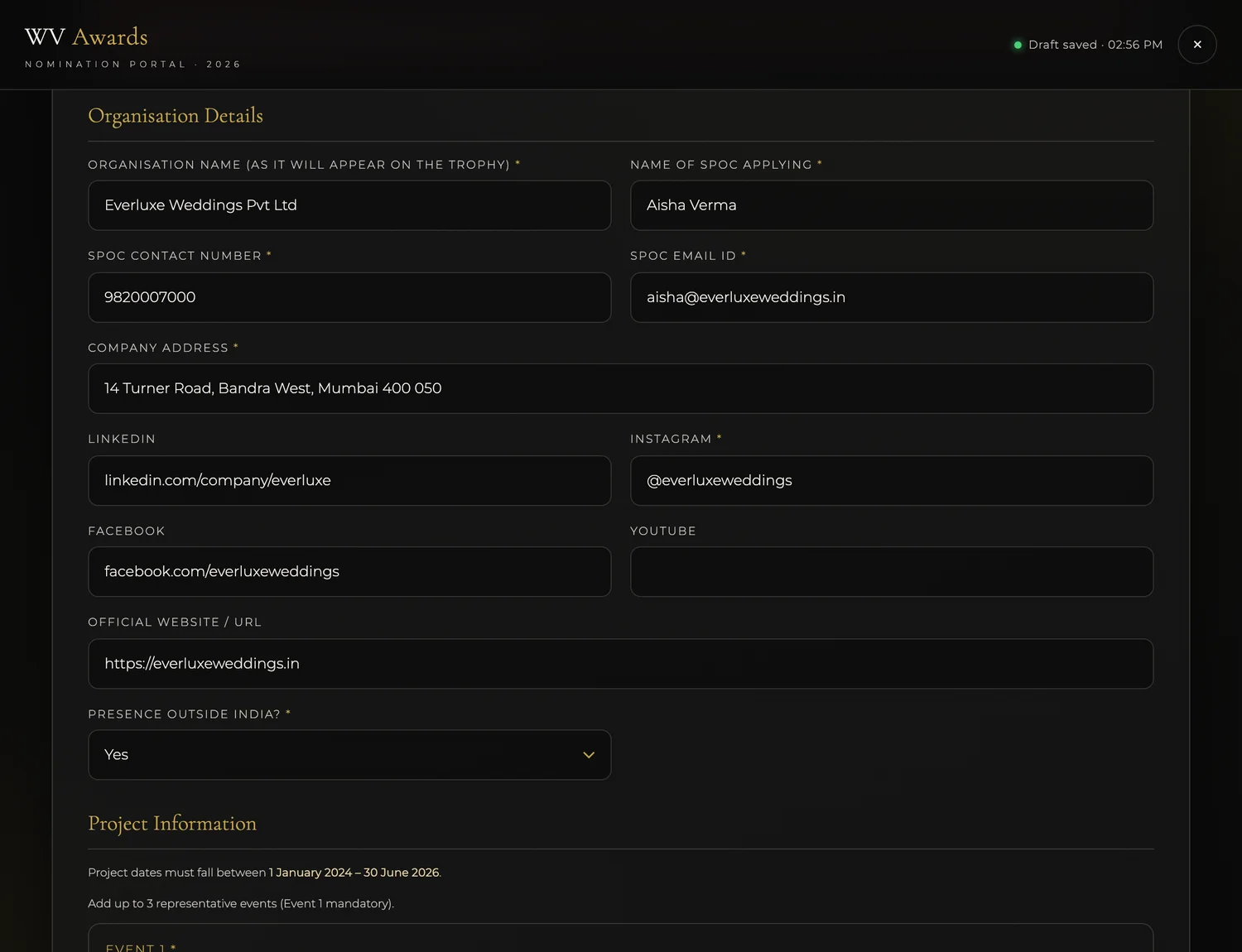
Your official brand or company name, spelled and capitalised exactly how you want it engraved on the trophy and printed in the winners' list.
ExampleEverluxe Weddings Pvt LtdDouble-check the spelling and capitalisation — this is the text that gets engraved.
The single point of contact for this entry — the one person the organisers and jury will reach out to.
ExampleAisha VermaA working mobile number for that contact. A WhatsApp-reachable number is best.
Example98200 07000An email you check regularly — every update about this entry is sent here.
Exampleaisha@everluxeweddings.inYour registered or primary business address.
Example14 Turner Road, Bandra West, Mumbai 400 050Your public Instagram handle or profile link — judges often look at your feed, so make sure the account is public.
Example@everluxeweddingsOptional links to your other profiles and site. Add whatever strengthens your presence; leave blank what you don't have. Website links should include https://.
Examplehttps://everluxeweddings.inChoose Yes if you have delivered work or have offices outside India; otherwise No.
ExampleYes / NoProject Information
The event(s) this entry is built on. Project dates must fall between 1 January 2024 and 30 June 2026. You can add up to 3 representative events — Event 1 is mandatory, Events 2 and 3 are optional.
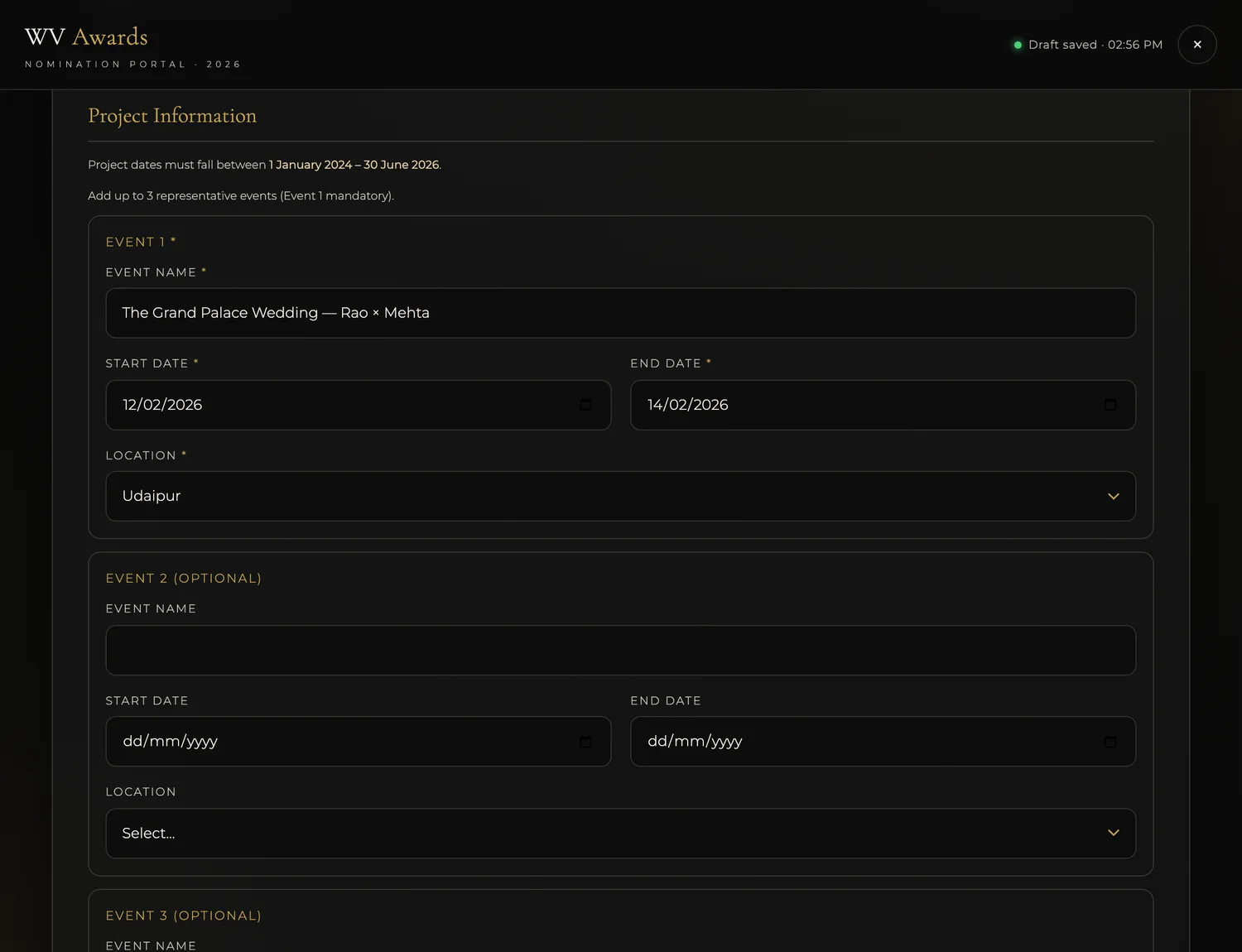
The name of the wedding or project — couple names or the event title work well.
ExampleThe Grand Palace Wedding — Rao × MehtaWhen the event ran. Both dates must fall between 1 Jan 2024 and 30 Jun 2026. Tap the field to pick from the calendar.
Example12 Feb 2026 → 14 Feb 2026The city where the event took place — pick from the list.
ExampleUdaipurOptions: Chennai, Mumbai, Delhi NCR, Bengaluru, Hyderabad, Kolkata, Pune, Ahmedabad, Jaipur, Udaipur, Goa.
Add up to two more representative events the same way, if they make your entry stronger. Leave them blank if one event says it all.
Case Study
Tell the story of your work in four short sections. Use crisp bullet points — the jury reads a lot of entries, so make every line earn its place.
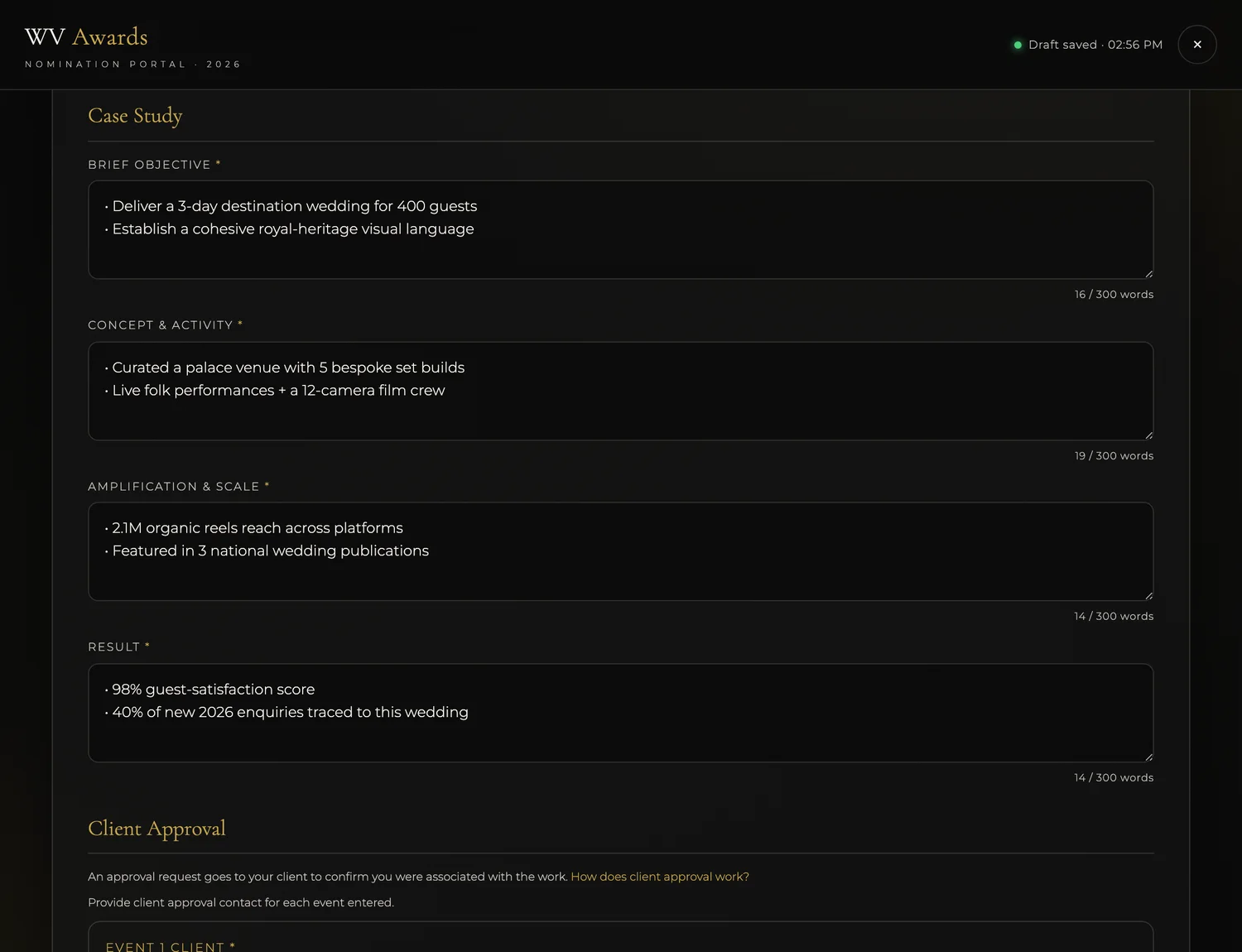
What you set out to achieve — the goal or mandate you were given.
Example• Deliver a 3-day destination wedding for 400 guests • Establish a cohesive royal-heritage visual languageWhat you actually created and executed — the ideas, design, and logistics behind the work.
Example• Curated a palace venue with 5 bespoke set builds • Live folk performances + a 12-camera film crewThe reach and scale — audience size, press coverage, social numbers, production scale.
Example• 2.1M organic reels reach across platforms • Featured in 3 national wedding publicationsThe outcome — measurable results, client satisfaction, and business impact.
Example• 98% guest-satisfaction score • 40% of 2026 enquiries traced to this weddingNumbers beat adjectives. "2.1M reach" lands harder than "went viral".
Client Approval
The jury may verify your work directly with the client, so give real, reachable contacts. Client 1 is required; you can add up to 3.
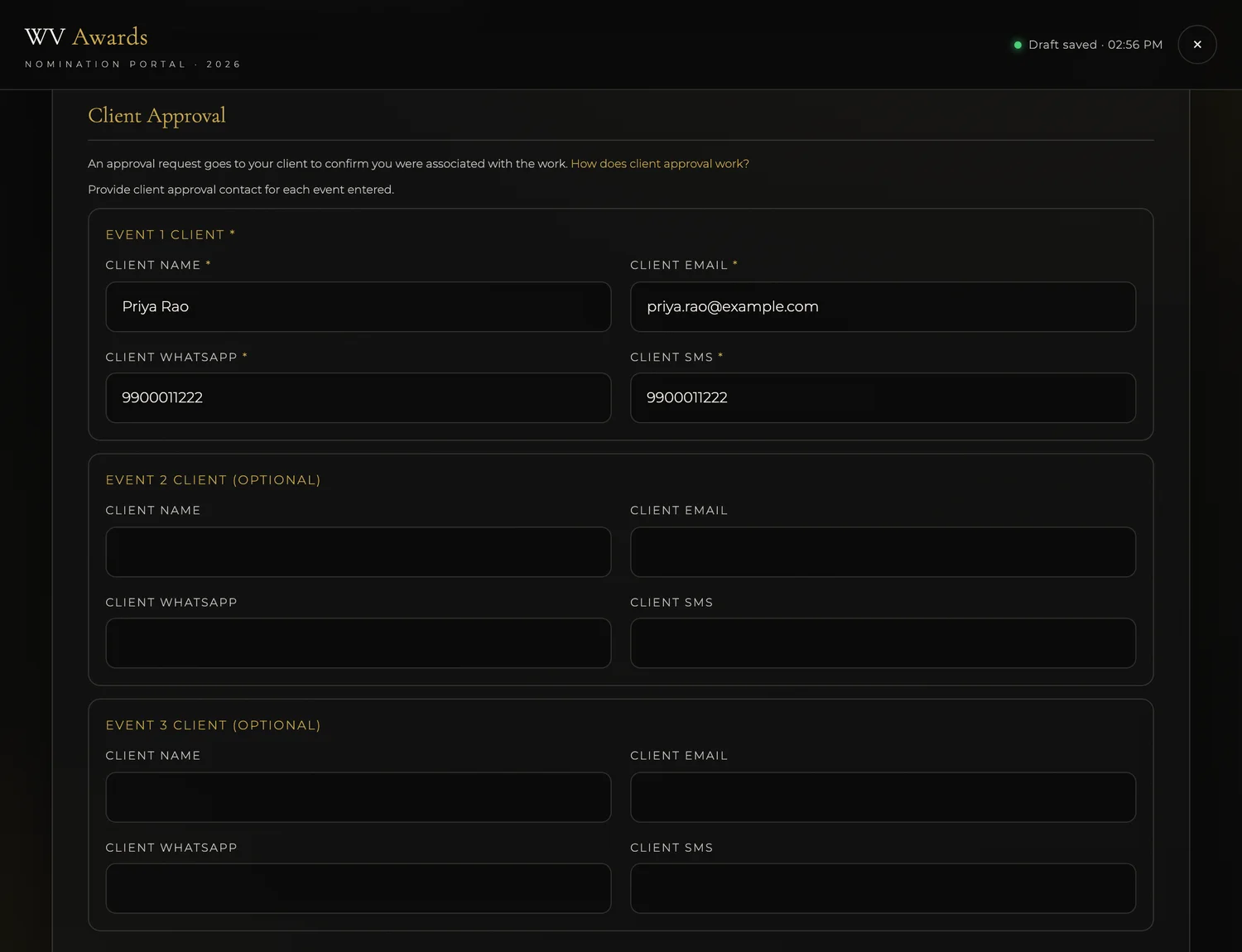
The client for this project — the couple or the company you worked for.
ExamplePriya RaoA working email the client actually reads.
Examplepriya.rao@example.comThe client's WhatsApp number, for quick verification.
Example99000 11222An SMS-reachable number — it can be the same as the WhatsApp number.
Example99000 11222Give your client a quick heads-up that WV Awards may reach out — it avoids a surprise call.
Optional. Add more clients the same way if several can vouch for the work.
Supporting Documents
Show, don't just tell. Upload the assets that prove your work. You can drag a file onto a box or click it to browse.
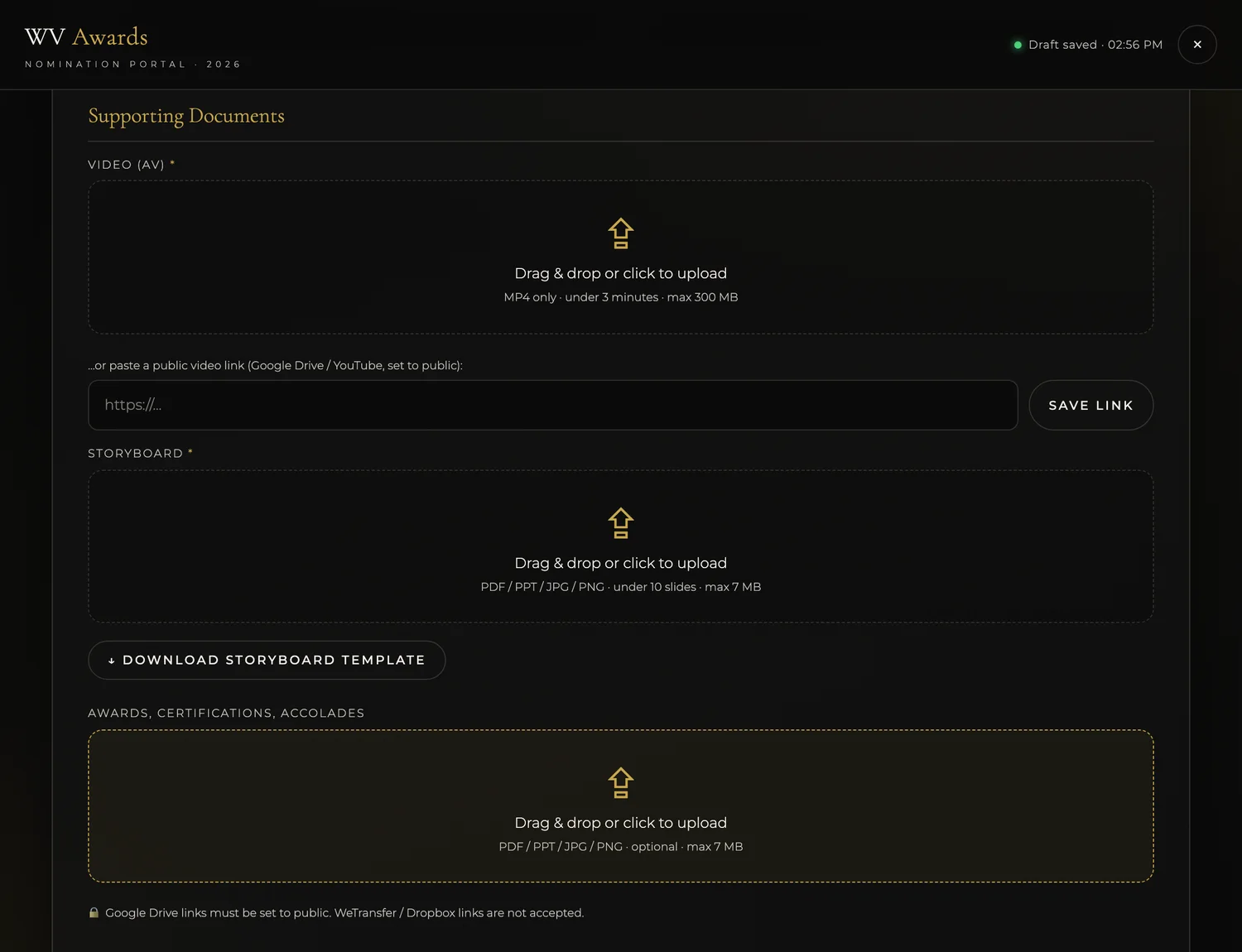
A short film of the work. MP4 only, under 3 minutes, max 300 MB. If your file is large, paste a public video link instead (Google Drive or YouTube, set to public) and tap Save Link.
Exampleshowreel.mp4 · or https://youtu.be/…A public YouTube or Google Drive link is the easiest way to share a big video.
Your case-study deck. PDF / PPT / JPG / PNG, under 10 slides, max 7 MB. Tap Download Storyboard Template for the recommended layout to fill in.
Exampleeverluxe-storyboard.pdfOptional proof that backs up your entry — press features, certificates, award letters. PDF / PPT / JPG / PNG, max 7 MB.
Examplepress-feature.pdfDeclaration & Submit
One last confirmation, then send it in.
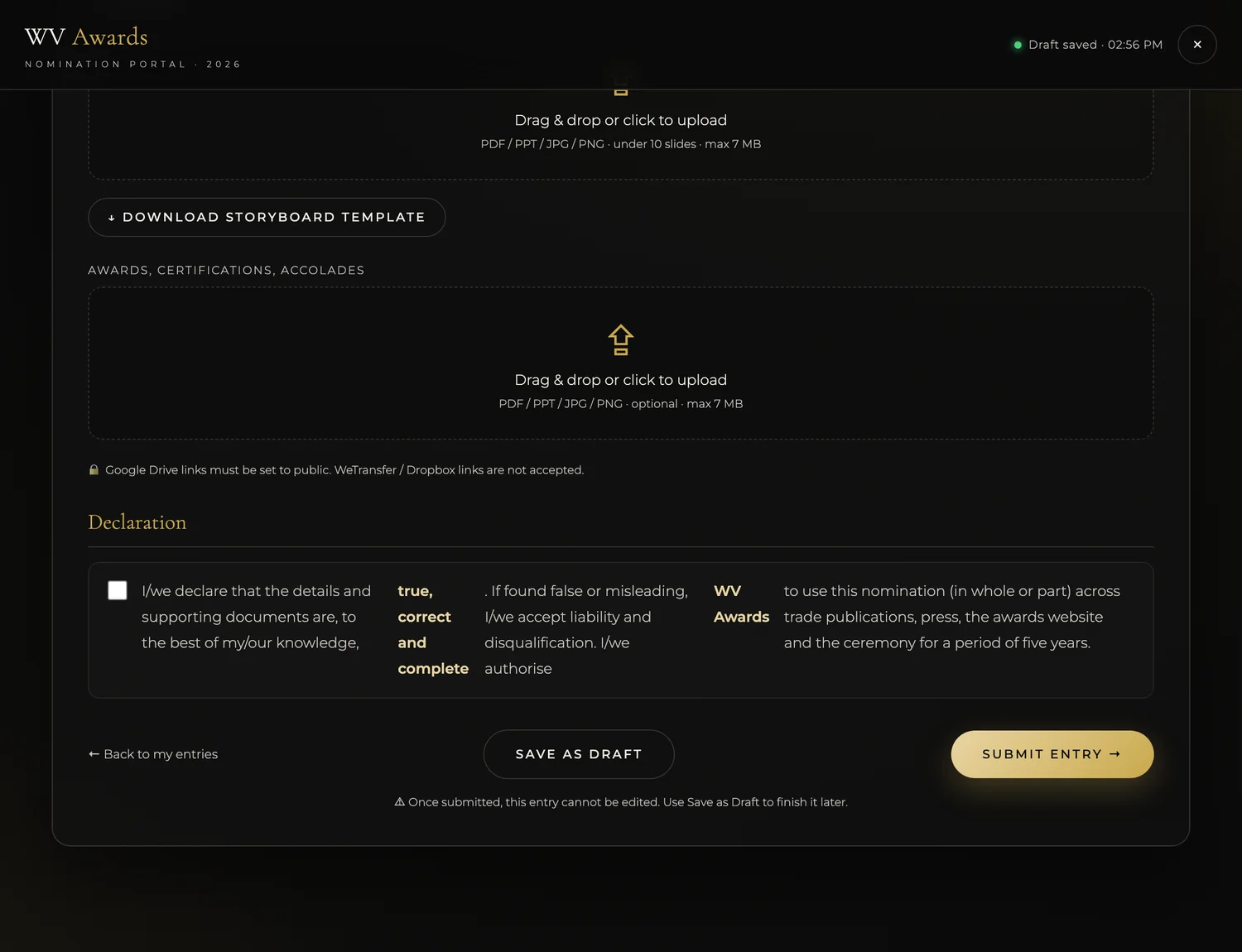
Tick the box to confirm your details and documents are true, correct and complete, and that you authorise WV Awards to use the nomination across press, the awards website and the ceremony.
Example☑ I confirm & authoriseSaves everything and lets you finish later. Come back anytime by signing in with the same mobile number — nothing is lost and you are never charged again.
Sends the entry to the jury. Do this only when the form is complete.
Once submitted, an entry cannot be edited. If you're not 100% ready, use Save as Draft instead.
That’s the whole form
Fill each section, tap Submit Entry when it’s complete — and remember you can Save as Draft and come back anytime with the same mobile number.
Go to my nomination →Stuck on something? WhatsApp +91 72007 95519 or email nithya.m@weddingvows.com